Spending 45 minutes to find one photo?
The privacy-first photo organizer for macOS that brings order to external drives and thousands of untagged images.
One-time payment
100% Private
30-day guarantee
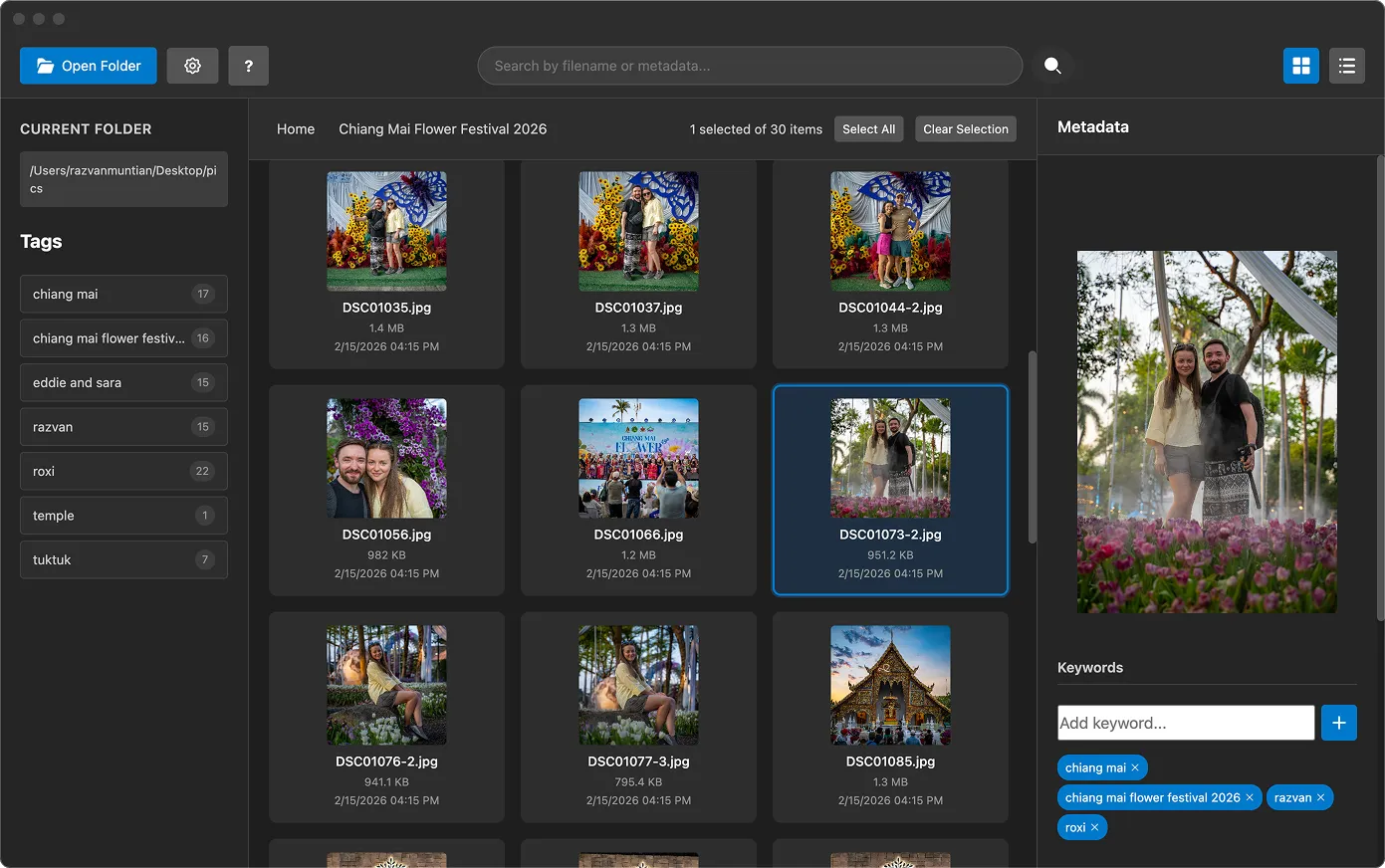
The privacy-first photo organizer for macOS that brings order to external drives and thousands of untagged images.
Watch a quick demo of how LunaFinder organizes your archives, tags your photos, and help you share your photos everywhere.
Point LunaFinder to any folder on your Mac or external drive.
Select one or more photos and apply keywords.
Use keywords list or search bar to find your photos.
Copy and paste the image everywhere. Works with all major social media platforms.
I use LunaFinder to manage all my photos, allowing me to categorise and search for them. It is the missing app that I have been searching for forever!! It does exactly what I need plus I get to utilise my external drives, as well as my cloud storage that I already have. I highly recommend it. Whether you have 100 photos or 1M photos like me, go give it a try!!
I've tried a lot of photo apps over the years, but LunaFinder feels different — it feels alive. LunaFinder isn't just a photo explorer app — it's a memory companion. And I genuinely can't imagine going back to the way I managed photos before.
I ❤️ my app. Unfortunately, I built it myself and I cannot buy it, but I would definitely buy it if I could.
Want to try LunaFinder and share your experience? We'd love to hear from you and feature your story.
Everything stays on YOUR machine. We never see your photos. Ever.
Keywords live in tiny companion files. Your photos stay untouched.
Pay once. Use forever. No monthly fees draining your wallet.
There are many shortcuts to help you work faster.
Whether you're a photographer, content creator, digital nomad, LunaFinder is the perfect tool for you.
Tag your best work. Build searchable portfolios. No cloud required.
Find that perfect product shot from 6 months ago in 3 seconds flat.
Organize screenshots and assets across multiple projects.
Your travel photos. Your external drives. Finally organized.
23,000 photos from 15 years of adventures? We got you.
One-Time Purchase
* Tax calculated at checkout based on your location.
LunaFinder is currently available for macOS only. For more details, please see the system requirements section.
LunaFinder supports .jpg, .jpeg, .tiff, .tif, and .png file formats.
Never. Keywords are stored in separate companion files. Your original photos remain completely untouched.
We'll resend it to you. Plus, you have lifetime access to download the app whenever you need it.
Absolutely. That's the whole point. Organize photos on any Mac drive or external storage.
We offer email support and comprehensive documentation to help you get the most out of LunaFinder.
Not available for Windows or Intel-based Macs.
I'm building this app to solve a real problem, and I'd love to hear
from you.
Whether you have a feature request or a question about the product: